Last updated: 22 October 2026
A hybrid town hall only works when the people watching online get the same meeting as the people in the room. If remote staff can’t hear clearly, can’t read the slides, or can’t get a question to the stage, they stop watching. Your message doesn’t land.
This guide shows you how to run a hybrid town hall in Brisbane with live Q&A and polling: how to plan it, how to set up one question queue for both audiences, how to use polls, and what production setup keeps it reliable. Dreamstream Webcasting is a Brisbane-based live webcast production company that runs town halls like this across Brisbane, the Gold Coast and South East Queensland.
Contents
- Why hybrid town halls go wrong
- Plan your town hall webcast
- Set up live Q&A for both audiences
- Use live polling to keep remote staff involved
- Production setup for a Brisbane town hall
- On the day: a simple timeline
- After the town hall
- Conclusion
- Frequently asked questions
Why hybrid town halls go wrong
Most failed town halls fail the same way. The online audience is treated as an afterthought.
A laptop at the back of the room streams a wide shot. Audio comes from the laptop’s microphone. Slides are a blur on a projector screen. Questions arrive in a chat box that nobody in the room is watching.
Remote staff notice within minutes. They switch to email. The questions they cared about never reach leadership. And the people who most needed the message, often those in regional offices, are the ones who miss it.
The fix isn’t complicated. You need clear pictures and sound, one place for questions, and a way for everyone to take part. The rest of this guide covers each of those.
Plan your town hall webcast
Set the goal and the run sheet
Start with what the town hall needs to achieve. Announcing a restructure needs a different format from a quarterly update or a new CEO introduction.
Then write a run sheet. Note who speaks, in what order and for how long. Mark when Q&A starts and how long it runs. Mark when each poll happens. Share it with your webcast provider at least a week before the event.
Choose your moderator
Your moderator decides which questions reach the stage. Pick someone senior enough to make that call, usually from communications, HR or the executive office.
The moderator should not also be presenting. They need to watch the question queue for the whole session.
Decide who can watch
Most town halls are internal, so control access. You have three options:
- Password: simple, and suits most staff meetings.
- Registration: staff enter their name and email. You get an attendance list.
- Staff login: where your organisation has a single sign-on system that the webcast page can use.
Pro tip: Send the link a week ahead and again one hour before start time. The reminder an hour before makes the biggest difference to how many people join live.
Set up live Q&A for both audiences
Use one question queue
The most reliable approach is a single moderated queue for everyone.
- Online viewers type questions into the webcast page.
- People in the room either use a roving microphone or submit questions on their phones through the same page.
- The moderator sees every question in one list, groups duplicates and passes the best ones to the MC.
Because every question lands in the same place, someone watching from Townsville has the same chance of being heard as someone in the front row.
Consider anonymous questions
Many organisations allow anonymous questions for town halls. It tends to bring out the questions staff are actually worried about. If you want this, raise it when you book so the Q&A is set up that way. The moderator still sees every question before it goes to the stage.
Plan for questions you can’t answer live
You won’t get through every question. Tell staff at the start that unanswered questions will be answered in writing after the session, then do it. That promise, kept, builds more trust than answering a few extra questions live.
Get a fixed quote for your town hall →
Use live polling to keep remote staff involved
When to poll
Polls give everyone a quick way to take part, wherever they are. Three moments work well:
- At the start: a pulse check, such as “How confident do you feel about the year ahead?”
- Before Q&A: let staff vote on which topics leadership should cover first.
- At the end: quick feedback on the session itself.
Keep each poll to one question with three to five answers. Long polls slow the meeting down.
Show the results
Staff vote from the webcast page on any device. Results update live and can be shown on the room screens and in the stream. When leadership responds to the results on the spot, staff can see their input mattered.
Watch out: Don’t run a poll you’re not prepared to discuss. If the pulse check comes back negative, leadership needs to acknowledge it, not move on to the next slide.
Production setup for a Brisbane town hall
Cameras and slides
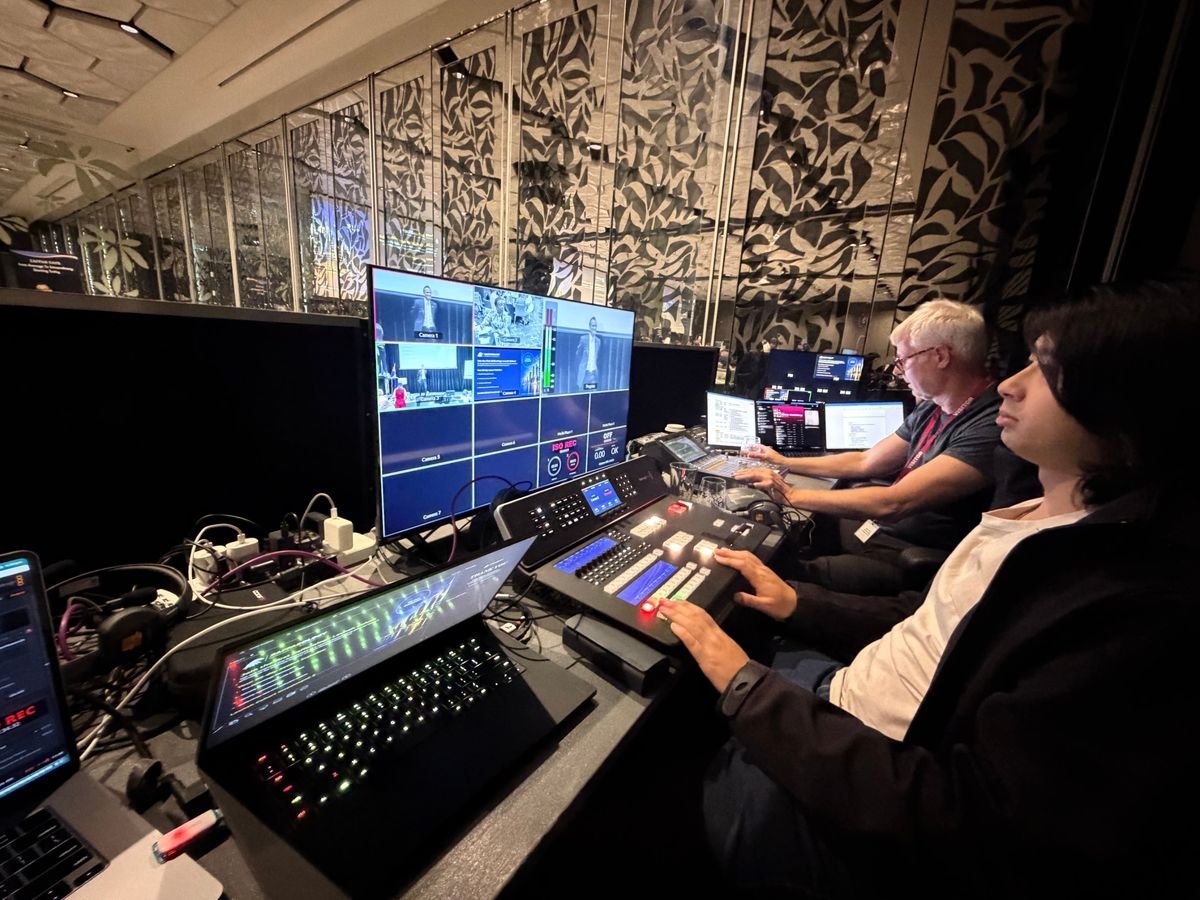
Use two to four cameras with a director switching shots. One camera follows the presenter. One covers a wider shot of the stage or panel. Larger town halls add a camera on the audience. Feed the slides directly into the stream so remote staff can read them clearly.
Audio
For a town hall, sound matters more than picture. Take audio from the venue’s sound desk where there is one. Where there isn’t, use proper microphones for presenters and a roving microphone for room questions. Never rely on a laptop microphone.
Remote presenters
If a leader is interstate or overseas, they can join through Zoom or Teams. They appear on the room screens and in the webcast, and the audio is set up so both audiences hear them clearly.
Backup connectivity
Check the venue’s internet, power and sound desk before the day. On the day, bring bonded mobile backup internet and a backup encoder, and record the whole event locally. If the venue connection drops, the stream continues, and the recording is safe either way.
Key takeaway: Clear audio, readable slides, one question queue and backup internet are what separate a town hall people watch from one they abandon.
On the day: a simple timeline
- Two hours before: the crew sets up cameras, audio and the stream, and connects to the venue sound desk.
- Ninety minutes before: full test of the stream, backup internet, Q&A and polls.
- One hour before: rehearsal with the MC, moderator and any remote presenters. Send the reminder email.
- Fifteen minutes before: a holding slide goes live on the webcast page so early viewers know they’re in the right place.
- Start: the MC welcomes both audiences by name: “everyone here in Brisbane, and everyone joining online”.
- Close: thank both audiences, explain how unanswered questions will be handled, and run the feedback poll.
After the town hall
You should receive the full recording, edited to remove breaks if needed, and a viewer report showing how many people watched and for how long. With registration, the report also shows who attended.
Share the recording with staff who couldn’t watch live. Then publish written answers to the questions you didn’t get to. That follow-up is where much of the trust is built.
Conclusion
A good hybrid town hall treats remote staff as full participants. Plan the run sheet and access early. Put every question into one moderated queue. Use polls at the moments that matter. And get the production basics right: clear audio, readable slides, multiple cameras and backup internet.
If you’re planning a town hall in Brisbane, on the Gold Coast or on the Sunshine Coast, Dreamstream Webcasting’s town hall live streaming covers the cameras, audio, branded webcast page, backup internet and recording in a fixed quote, with live Q&A and polling available as an add-on. See webcasting pricing.
Frequently asked questions
How long should a hybrid town hall be?
Most run 45 to 60 minutes. Longer sessions lose remote viewers, so keep presentations short and leave at least 15 minutes for Q&A.
Can staff ask questions anonymously?
Anonymous questions can usually be set up. Mention it when you book, and the moderator will still see every question before it reaches the stage.
Can several offices watch at once?
Yes. The webcast page works on computers, phones and meeting-room screens, so each office can watch together or staff can watch individually.
Do staff need to install anything?
No. Staff open a link in their web browser.
Can a leader present from another city?
Yes. Remote presenters join through Zoom or Teams and appear on the room screens and in the webcast.
What happens if the venue internet fails?
The stream switches to bonded mobile backup internet, and the event is also recorded locally, so nothing is lost.
Get a quote → or call (07) 3003 1110